How to make a good LinkedIn banner (cover photo)?
In real life, as on your LinkedIn account , it is very important to take care of the first impression that we give.
The first thing people see when they land on your profile is your LinkedIn profile picture and your cover photo, also called a LinkedIn banner or a LinkedIn background photo.
While it’s already been proven that not having a profile picture is the worst mistake you can make, not having the right LinkedIn banner for your business is also bad.
As Confucius said: ” A picture is worth a thousand words “.
Make a professional LinkedIn banner easily: video tutorial

What are the secrets of a good LinkedIn banner?
1. The LinkedIn banner must represent your activity
The choice of your LinkedIn banner should not be left to chance.
Avoid putting a photo of your cat or the landscape from your last vacation. Be present on LinkedIn ™ is to integrate a professional network, keep your personal photos for Facebook.
For maximum efficiency, I advises you to choose a cover photo that has a direct link with your activity.
Example: if you are baker, you could put a picture of a bread or an oven.
Please note: if you have worked for 10 years in the same sector and want to retrain, do not put a LinkedIn banner in connection with your past activity.
Like the profile picture LinkedIn, it should represent you as you are right now.
2. Insert text in your LinkedIn banner
For succeed on LinkedIn ™ , design a LinkedIn banner optimal. To do this, put some text in it so that the community can immediately see who you are and what you do.
Indeed, if you choose a LinkedIn banner without writing, users could interpret it in several different ways. Unless the photo is very explicit, I advise you to put text.
If you are a consultant in inbound marketing , a sentence like: “I help you generate more leads thanks to the web »Shows right away what your goal is and what you can contribute to your network.
If you have a slogan specific to your brand, inserting it in your LinkedIn banner will add a little personal and professional touch.
3. LinkedIn banner: pay attention to copyright
Few people pay attention to it, but most of the images on Google are protected by copyright author.
Using them could be worth you in serious trouble and lose your credibility.
To solve this problem, I advise you to create your own LinkedIn banner from A to Z so that it is unique.
There are many tools in free online to help you.
I am thinking, in particular, of Can go which allows you to create a fully personalized LinkedIn banner.
You have the choice of taking an existing template and modifying it or creating your entire LinkedIn banner yourself.
Some of the links in the article are affiliate links (meaning we get a commission when you buy the product by clicking on the link), but that doesn’t change our recommendations because we really recommend the tools.
4. LinkedIn banner: have consistency
On the web, it is important to keep a certain consistency between all your online activities.
Whether it’s on your blog, your site or your social networks, users should be able to recognize your personal branding .
If you chose the color blue and orange on your site, I advise you to opt for the same colors on your social networks.
This also applies to your LinkedIn banner.
So users will recognize right away.
However, it is not essential to have the same cover photo to the pixel on all your social networks. Your banner on your professional Facebook account may be different from the one you choose for LinkedIn.
If the presence of your brand personal online must have some consistency between all your activities on the web, it seems obvious that your LinkedIn banner should represent your activity (see point N ° 1).
5. LinkedIn banner: choose the right resolution
Do not choose just any what resolution.
Have a photo that is too large or too wide should be avoided because part of your banner may not be visible, which wouldn’t look too professional, you’ll agree.
The ideal resolution of a LinkedIn banner is 1584 x 396 px.
To avoid problems, I recommends that you upload a photo that has precisely these dimensions.
Ideally, it should be 8MB maximum.
To help you, feel free to use tools like Canva.com
Please note that the models offered on Canva are no longer at the correct resolution following the LinkedIn update. It’s up to you to create the banner with these dimensions: 1584 x 396 pixels.
6. Solicit opinions
As for the LinkedIn profile picture It’s interesting to seek the opinions of others by asking them if they find your LinkedIn banner to represent you both personally and professionally.
So you will have a return goal and can choose the best possible LinkedIn banner.
How to put your banner on LinkedIn?
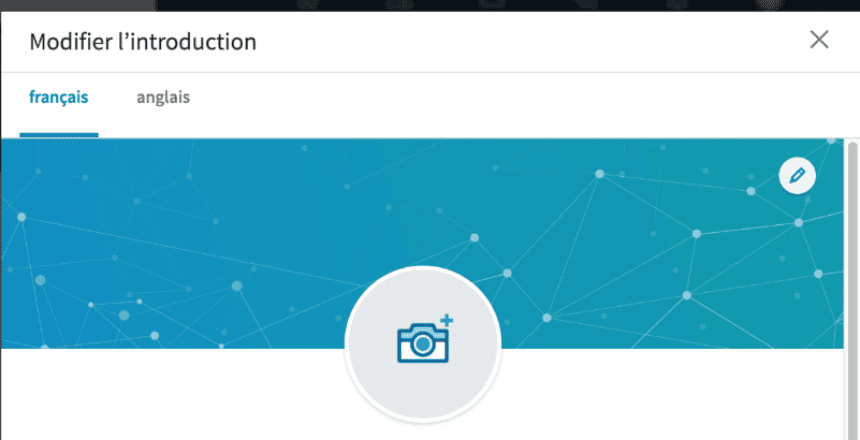
Once you have the perfect LinkedIn banner, all you need to do is upload the background photo to your LinkedIn profile .
- Connect to LinkedIn
- Go to your LinkedIn profile
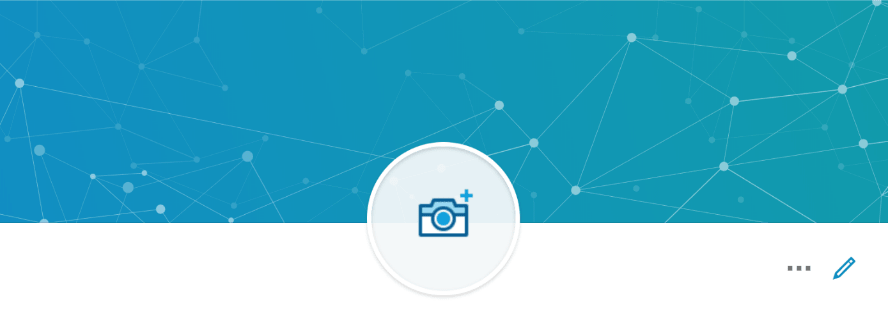
- Click on the small “pen” at the bottom right
4. Click again on the small pen at the top right
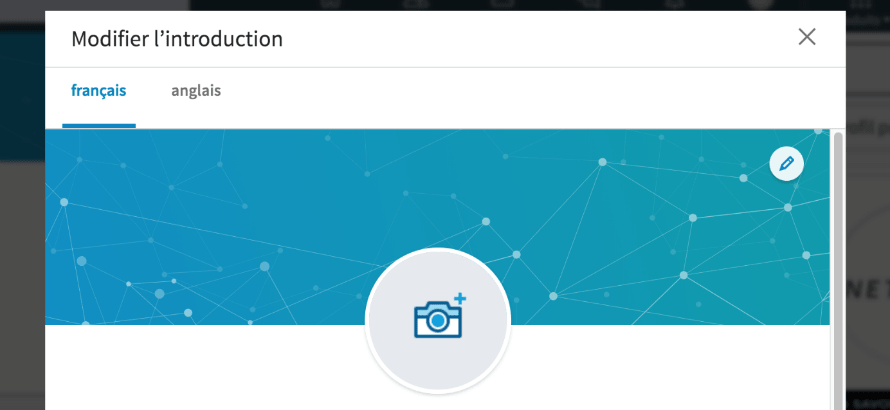
5. LinkedIn offers you then adjust your photo as you want
6. Click on “use”
7. Remember to click “Save” before closing the page.
There you go, your banner is now visible to LinkedIn users!
Conclusion: your LinkedIn banner holds a prominent place on your LinkedIn profile
The visual part is also important than the text on your profile.
At a glance, make sure that users understand who you are, what you do, and what you can bring them.
Having a LinkedIn banner is only one of the 32 steps to having a good LinkedIn profile. Download the checklist to have a perfect LinkedIn profile .